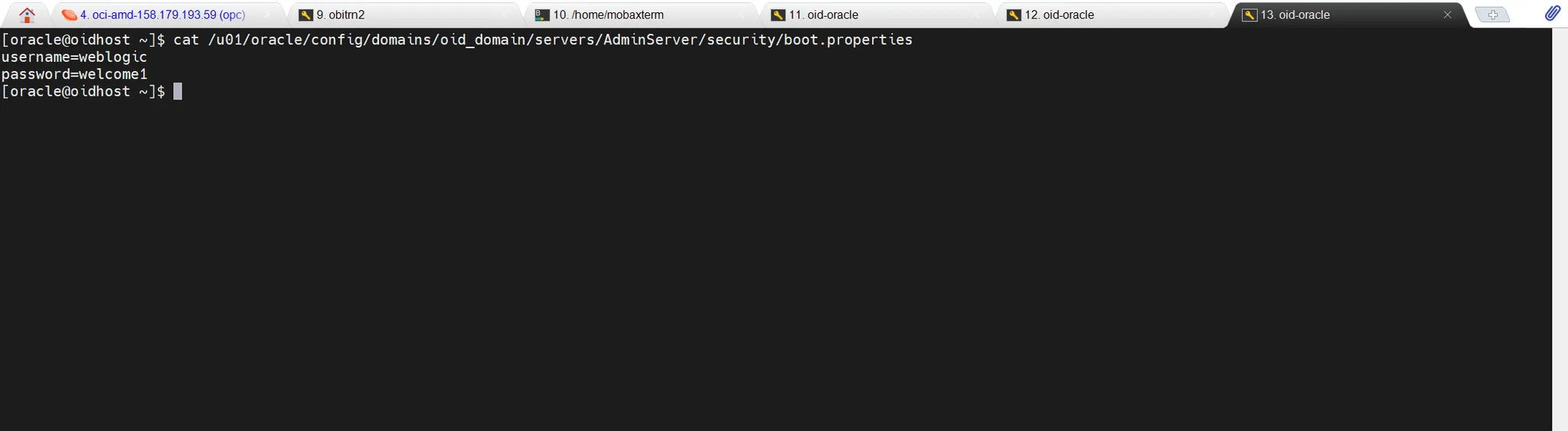
WebLogic 서버 관리자들을 위한 유용한 자동화 스크립트를 소개합니다. 아래 Python 스크립트는 WebLogic 서버의
boot.properties
Plain Text
복사
파일을 자동으로 생성하고 관리합니다.
스크립트의 목적
1.
자동화: 서버 시작 시 수동으로 사용자 이름과 비밀번호를 입력하는 번거로움을 제거합니다.
2.
보안: 중요한 인증 정보를 안전하게 관리합니다.
3.
일관성: 여러 서버 환경에서 동일한 설정을 쉽게 유지할 수 있습니다.
주요 기능
1.
create_boot_properties.sh 스크립트 생성
2.
생성된 스크립트에 실행 권한 부여
3.
boot.properties 파일 자동 생성 (없는 경우에만)
4.
실행 결과 로깅
작동 방식
1.
Python 스크립트가 create_boot_properties.sh 파일을 생성합니다.
2.
생성된 쉘 스크립트에 실행 권한(750)을 부여합니다.
3.
쉘 스크립트를 실행하여 boot.properties 파일을 생성합니다.
4.
기존 boot.properties 파일이 있으면 덮어쓰지 않고 존재 여부만 확인합니다.
실행 방법
1.
아래 스크립트를 create_boot_properties.py로 저장합니다. 스크립트에서 DOMAIN_HOME , USERNAME 및 PASSWORD를 실제 값으로 변경해 주세요. 본 스크립트는 AdminServer에 적용되는 boot.properties파일 생성만을 목적으로 하고 있습니다. 이런 방식으로 또 다른 Managed Server를 위한 스크립트를 만들 수 있습니다.
import os
import subprocess
# Define paths
DOMAIN_HOME = '/u01/oracle/config/domains/oid_domain'
script_path = os.path.join(DOMAIN_HOME, 'create_boot_properties.sh')
# Ensure domain directory exists (create it if it doesn't)
os.makedirs(DOMAIN_HOME, exist_ok=True)
# Write the create_boot_properties.sh script
with open(script_path, 'w') as f:
f.write("""#!/bin/bash
DOMAIN_HOME=/u01/oracle/config/domains/oid_domain
SERVER_NAME="AdminServer"
USERNAME="weblogic"
PASSWORD="welcome1"
BOOT_DIR="$DOMAIN_HOME/servers/$SERVER_NAME/security"
BOOT_FILE="$BOOT_DIR/boot.properties"
# Create boot.properties file
create_boot_properties() {
mkdir -p "$BOOT_DIR"
if [ ! -f "$BOOT_FILE" ]; then
echo "Creating boot.properties for $SERVER_NAME"
cat << EOT > "$BOOT_FILE"
username=$USERNAME
password=$PASSWORD
EOT
chmod 600 "$BOOT_FILE"
echo "boot.properties created at $BOOT_FILE"
else
echo "boot.properties already exists at $BOOT_FILE"
fi
}
create_boot_properties
""")
# Set permissions for the script
os.chmod(script_path, 0o750)
print(f"Script created at: {script_path}")
print(f"Script permissions set to 750")
# Execute the create_boot_properties.sh script
result = subprocess.run(['bash', script_path], stdout=subprocess.PIPE, stderr=subprocess.PIPE, universal_newlines=True)
# Output the result of the script execution
print("Script execution output:")
print(result.stdout)
if result.stderr:
print("Error output:")
print(result.stderr)
Python
복사
2.
터미널에서 다음 명령어로 실행합니다:
python3 create_boot_properties.py
Python
복사
Python 버전 요구사항
•
Python 3.6 이상이 필요합니다.
•
특히 subprocess.run() 함수의 capture_output 매개변수를 사용하려면 Python 3.7 이상이 필요합니다.
•
Python 3.6을 사용하는 경우, subprocess.run() 호출을 다음과 같이 수정하세요:
result = subprocess.run(['bash', script_path], stdout=subprocess.PIPE, stderr=subprocess.PIPE, universal_newlines=True)
Python
복사
주의사항
•
실제 운영 환경에서는 비밀번호를 평문으로 저장하지 말고, 보안 강화 방법을 사용하세요.
•
정기적으로 비밀번호를 변경하고, 변경 시 이 스크립트도 업데이트하세요.
•
스크립트 실행 전 WebLogic 서버 환경 변수가 올바르게 설정되어 있는지 확인하세요.
시스템 요구사항
•
Unix/Linux 기반 운영 체제
•
WebLogic 서버 설치 및 구성
•
bash 셸 사용 가능
이 스크립트를 활용하면 WebLogic 서버 관리가 더욱 효율적이고 안전해집니다. 서버 설정 자동화의 첫 걸음으로 활용해 보세요!